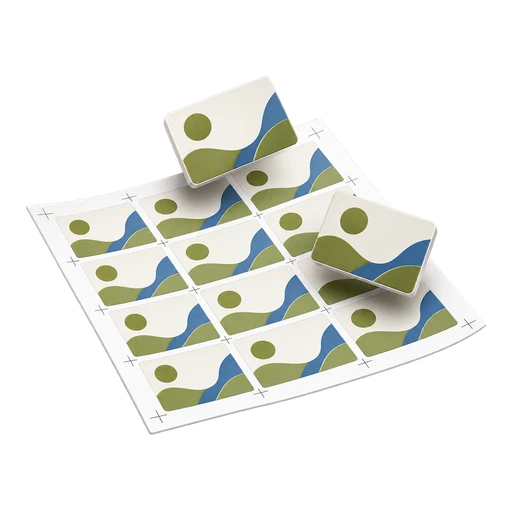
Double-Sided Business Card Imposition: Fronts and Backs

A single-sided card sheet only has to match the cutter. A double-sided sheet also has to match itself: every back must land behind its own front, the right way up, close enough that the shift is invisible after trimming. The layout rules below follow from one fact. When a sheet is turned over, its left edge becomes its right edge, or its top becomes its bottom, and the back imposition has to be built for that.
How do the backs line up with the fronts?
Picture the sheet face up, then flip it. On a side-to-side flip (long-edge duplex on a portrait sheet), a card printed near the left edge of the front is now near the right edge from the back. Rows stay where they were. On a head-to-tail flip (short-edge duplex on a portrait sheet), the top row becomes the bottom row and the columns stay put.
So the back layout is the front layout mirrored across the flip axis: positions mirrored, artwork not. Each back still reads normally; only its slot on the sheet changes. When all cards on the sheet are one design, slot order does not matter, but the position of the grid still does. When the sheet carries several people's cards, slot order decides whether each name ends up behind the right face.
Work-and-turn vs work-and-back (sheetwise)
| Method | How the sides are made | Flip | Where it fits |
|---|---|---|---|
| Sheetwise (work-and-back) | Separate front and back layouts: two plate sets on offset, or two PDF pages on digital | Either, as long as the back is built for it | Standard for digital duplex; the safe default for cards |
| Work-and-turn | Fronts and backs side by side in one layout, printed twice | Side to side; same gripper edge | Offset runs where saving a plate set matters; sheet is cut in half to give two finished sets |
| Work-and-tumble | Fronts and backs in one layout, top and bottom halves | Head to tail; gripper edge changes | Less common for cards, because the second side registers from a different sheet edge |
On a digital press there are no plates to save, so sheetwise is the normal choice: page 1 of the imposed PDF is the front sheet, page 2 the back sheet, and the device's duplex setting supplies the flip. Work-and-turn and work-and-tumble are compared in more depth in the guide to PDF imposition layouts.
Why the back columns run in mirrored order
Take an SRA3 sheet, 320 × 450 mm, carrying 85 × 55 mm cards with 3 mm bleed and a 3 mm gap between bleed edges. Each card's footprint is 91 × 61 mm. Three columns use 3 × 91 + 2 × 3 = 279 mm of the 320 mm width; six rows use 6 × 61 + 5 × 3 = 381 mm of the length, giving 18 cards. Suppose the grid sits 15 mm from the left edge, so the right margin is 320 − 15 − 279 = 26 mm.
- Front, column 1 occupies x = 15 to 106 mm from the left edge.
- After a side-to-side flip, that strip sits at 320 − 106 = 214 to 320 − 15 = 305 mm, measured from the back's left edge.
- That is column 3 of the back, and the back grid must begin 26 mm from its left edge, not 15 mm.
Copying the front grid unchanged onto the back would put every back 11 mm (26 − 15) away from its front, which no cutter can hide. Centre the grid, with 20.5 mm on each side, and the positions coincide; only the column order then needs reversing.
How accurate is duplex registration on a digital press?
Front-to-back registration is a device specification, and it varies between models, paper weights and even sheet batches. Production presses are generally tighter than office devices, and many offer a duplex image-shift adjustment, but there is no single figure to design to. Ask the shop for the tolerance they hold on your stock, or measure it with the proof below.
The visible error on a back is the sum of two tolerances. As an illustration only: if the press holds the back within 0.5 mm of the front and the cutter lands within 0.3 mm of its intended line, a back element can sit up to 0.8 mm from where you placed it relative to the finished edge. On an 85 mm card, a thin border 2 mm from the edge could then measure 1.2 mm on one side and 2.8 mm on the other. Paper that is not perfectly square, or that grows slightly in humidity, adds to this, and the error usually gets larger towards the far edge of the sheet.
Why should the backs be bleed-safe?
The cutter is normally set up from marks or edges related to the front. The front carries only cutting error; the back carries cutting error plus duplex drift. That makes the back the side most likely to show white slivers or uneven borders. In practice:
- Give the back full bleed wherever its artwork reaches the edge, even if the front is mostly white.
- Keep back text and logos at least as far inside the trim as on the front, and preferably further; the bleed and safe zone specs give the starting values.
- Avoid thin frames and edge-hugging rules on the back. Choose a flat full-bleed colour or generous white space.
- Think twice about shared cut lines. Butted layouts that save a gutter on the front also remove tolerance on the back; the yields for both cases are in the cards-per-sheet tables.
How do you proof a duplex sheet by holding it to the light?
- Make a proof copy of the imposed file with a thin rectangle drawn at the trim of every card on both sides. Use it for the proof only.
- Print one duplex sheet on the job's actual stock, at 100 percent scale, with the duplex flip you intend to use.
- Hold the sheet to a window or light box. The front and back rectangles should coincide.
- Measure the offset at the four corners of the sheet with a ruler.
| What you see | Likely cause | Fix |
|---|---|---|
| Same offset everywhere | Shift between sides | Device duplex image shift, or move the back grid |
| Offset grows across the sheet | Scaling, "fit to page", or a skewed feed | Print at actual size; check paper squareness |
| Backs upside down | Wrong flip edge | Switch long-edge and short-edge duplex |
| Right shape, wrong names | Back column or row order not mirrored | Reverse the order along the flip axis |
Then trim the proof and check one card from each corner of the sheet, since corners show the worst case. In PDFImpose, build the front and back sheets from the card artwork and check in the app how backs are paired before exporting. For the single-sided grid basics, see business card imposition layouts, and the business card imposition home page has the sheet calculator.
Common questions
Do I send the printer one PDF or two for double-sided cards?
Follow the printer's specification. A common request is a two-page PDF per design, front then back, at trim plus bleed, and the shop imposes it. If you supply an imposed file, it usually has front and back sheets as consecutive pages.
Should the back of a business card be upside down?
No. Most cards are read by turning them side to side, so the back is upright relative to the front. Upside-down backs on a proof usually mean the duplex flip edge is wrong for the layout.
Why do my backs line up in the middle of the sheet but not at the edges?
That points to scaling or skew rather than a simple shift. Check that both sides print at actual size with no fit-to-page option, and that the paper is cut square. Errors that grow outward cannot be fixed with one offset.
Is work-and-turn useful for digital business cards?
Rarely. Work-and-turn exists to save an offset plate set. A digital press has no plates, so printing fronts and backs sheetwise as consecutive pages is simpler and keeps both sides registered from the same sheet edge.
Can a portrait back go with a landscape front?
Yes, but the back artwork must be rotated 90 degrees in its slot so both faces share the same trim rectangle. Decide which way it rotates and check it on the duplex proof before the run.